The day-one Claude settings checklist.
Claude feels generic when you skip its settings. Five quick toggles, two minutes, and every chat starts smarter and more like you.
Liked this? New guides land here first. No spam, ever.
Most people open Claude, start typing, and never touch the settings. Then they wonder why it feels generic. Five quick changes fix that: tell it your name, describe your work, switch on code execution and file creation, turn on web search, and set your voice and look. Two minutes once, and every chat after starts from a smarter, more "you" baseline.
Why this matters more than it looks.
Settings feel like the boring bit you skip. With Claude, they're where you stop it guessing about you. A few of these toggles change what Claude can actually do. The rest change how well it talks to you specifically. None of them take more than a few seconds.
You'll find all of this by tapping your name in the bottom-left corner, then Settings. Do these five once and you never think about them again.
1. Tell it your name.
There's a field for your full name and a separate one for what Claude should call you. Fill in both. It's a small thing, but every reply suddenly feels like it's talking to a person it knows, not a form it's processing.

I've just set what you should call me in settings. Use my name naturally when it helps, but don't overdo it. From here on, talk to me like a person you know, not a support ticket.
2. Describe your work.
There's a field asking what best describes what you do. Fill it in honestly. It quietly shifts how Claude pitches its answers, the examples it reaches for, the assumptions it makes about what you already know. A coach gets different answers from a finance manager, and that's the point.

Here's what I do in one line: [describe your work and who you serve]. Keep this in mind from now on and tailor your answers, examples and level of detail to someone in my role.
3. Switch on code execution and file creation.
This is the one most people miss, and it's the one that unlocks the most. In Settings, under Capabilities, there's a toggle for code execution and file creation. Switch it on. This is what lets Claude build you actual files, documents, spreadsheets, PDFs, and it's required for skills to work at all. Off, Claude only talks. On, it makes things.

Create a simple one-page checklist as a document I can download. The topic: [your topic, e.g. questions to ask before hiring a VA]. Keep it clean and easy to skim.
4. Turn on web search.
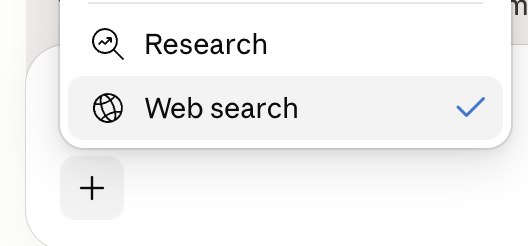
Make sure web search is enabled so Claude can pull current information instead of answering from memory. You'll see it as a toggle in the + menu next to the message box, and in settings. Without it, Claude is working from what it learned during training, which has a cut-off date. With it, Claude can check what's true right now. Essential for anything recent, factual, or about a specific company or person.
Search the web and give me the three most useful things published in the last month about [your topic]. Summarise each in two lines and link your sources so I can check them.
5. Set your voice and look.
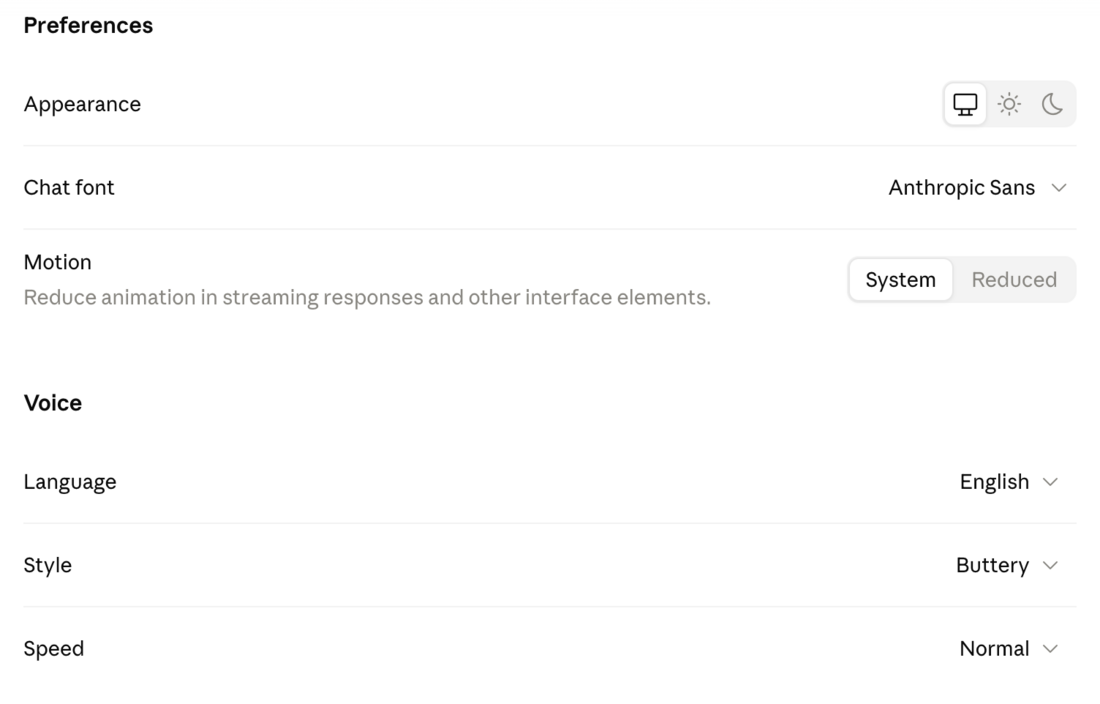
Last one, pure comfort. In Preferences you can switch between light and dark, change the chat font, and reduce motion if animations bother you. Under Voice you pick the voice, style and speed for voice mode. None of this changes what Claude knows. It just makes Claude nicer to spend time in, which matters more than you'd think when you're using it every day.
[Switch to voice mode, then say:] Give me a two-minute, plain-English summary of [topic] while I get ready. Keep it casual, like you're talking me through it over coffee.
Then do the big one.
These five are the warm-up. The most powerful setting is the one called Instructions for Claude, where you teach it who you are and how you want it to work. That one is worth a whole guide of its own, and it gets one later in this series. For now, just know it's the setting that makes the biggest difference, and it's waiting for you when you're ready.
You do this once. Block two minutes, run down the five, and you're done for good. Every chat from then on starts from a smarter, more "you" baseline without you lifting a finger again. The people who find Claude generic are almost always the ones who never opened this menu.
One last thing.
None of this is the scary part of Claude. It's the opposite. It's the two minutes that stop you having to repeat yourself in every conversation for the next year. Spend them now and the tool quietly bends towards you.
Name, work, code execution, web search, voice. Then close the menu and forget it. It's working in the background from here.